
A custom domain lets your codes print links like qr.yourbrand.com/x7k2 instead of the DynamiHost domain. Your plan sets how many custom domains your account can have; the number is shown on the Custom domains page.
Steps
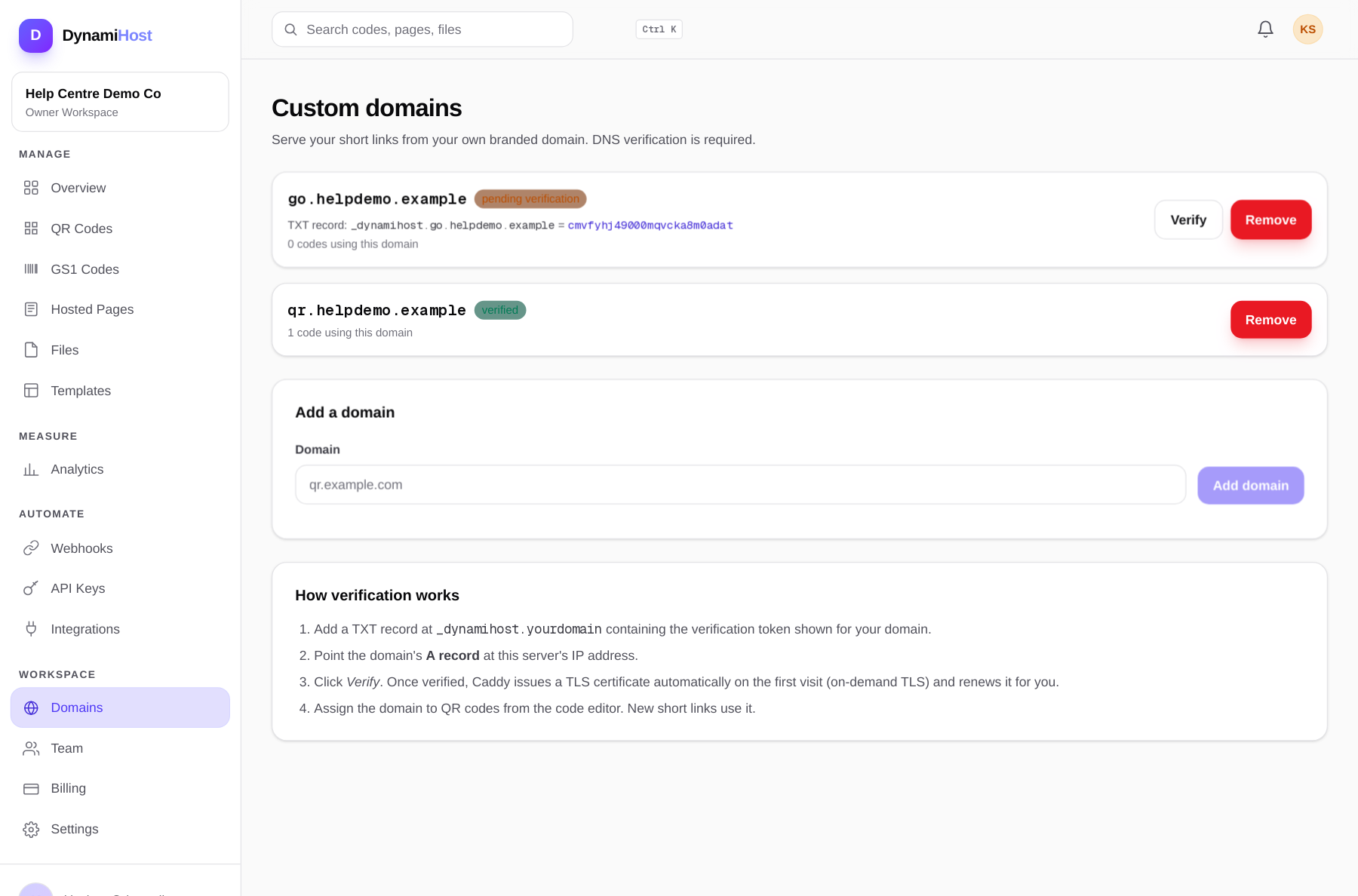
- Open Custom domains in the dashboard and add your domain, for example
qr.yourbrand.com. A subdomain is best; it keeps your main website's DNS untouched. - Add the TXT record shown for your domain at your DNS provider:
text
Name:  _dynamihost.qr.yourbrand.com
Type:  TXT
Value: the verification token shown in your dashboard- Point the domain itself at this server with an A record:
text
Name:  qr
Type:  A
Value: this server's IP address- Back in the dashboard, click Verify. DynamiHost checks the TXT record and that the domain resolves to this server.
- Assign the domain to codes from the code editor. New short links for those codes use your domain.
HTTPS
Certificates are issued automatically on the first visit to the domain (on-demand TLS) and renewed for you. The first load can take a few seconds; after that the domain serves over HTTPS like any other page. Your DNS must already be pointing at the server before that first visit, or the certificate cannot be issued.
Common mistakes
- TXT record on the wrong name. It must be at
_dynamihost.plus the full domain you added, not at the root of your main domain. - DNS has not propagated yet. Wait a few minutes and verify again. Some providers take up to an hour.
- An old A record still exists. Two A records pointing at different servers will send half your scanners to the wrong place. There should be exactly one.
- Proxy in front of the domain. If your DNS provider proxies the record (an orange-cloud style setting), the proxy must forward to this server; a proxied record pointing elsewhere will not verify.
Codes are only served under a verified domain. Until verification passes, scans keep using the standard DynamiHost link, so set the domain up before you print.