
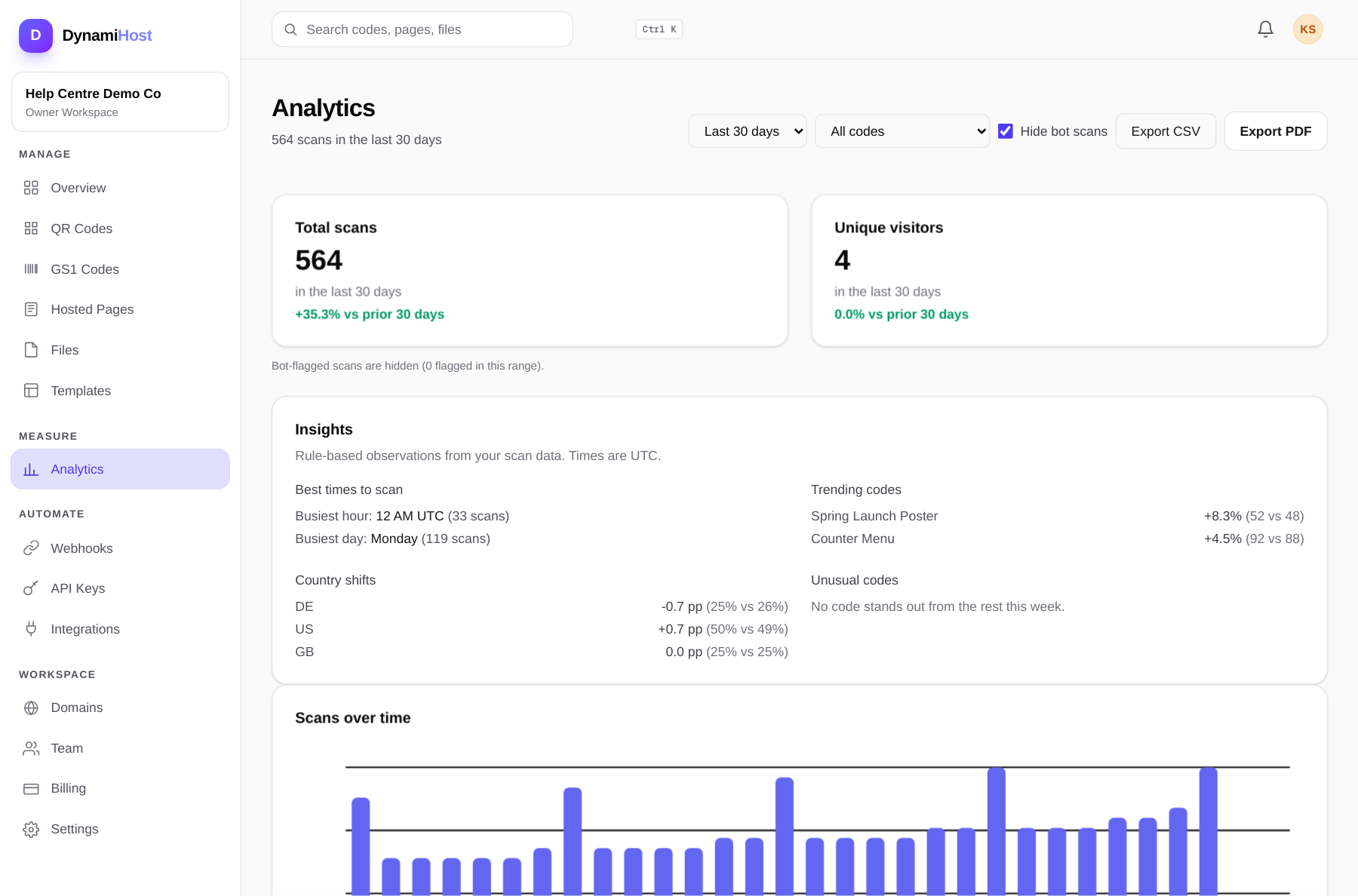
Every scan of a dynamic code is recorded, and the Analytics section turns those scans into answers: which codes work, where, and on what.
What is counted
- Scans: every time a code's short link is opened. Repeat scans by the same person count as scans.
- Unique visitors: estimated distinct people, counted with a privacy-preserving sketch (HyperLogLog) rather than by tracking individuals across the web.
- Breakdown: device type, operating system, browser and country (derived from the IP address at scan time).
- Bot traffic is filtered out of your numbers, and sudden spikes are flagged by anomaly detection.
Retention
Your plan sets how long raw scan events are kept (the Billing page shows the figure). Older activity is rolled up into one summary row per code per day, so totals over time stay correct even after the raw events age out. Charts merge both without double counting.
Acting on it
- A code with impressions but no scans has a placement or print problem, not a content problem. See the troubleshooting guide.
- Compare codes, not days: the same offer in two locations tells you which location works.
- Conversion events (sent through the API when a scanner buys, signs up or books) are attributed back to the code that produced the scan, so you can see revenue per placement, not just traffic.
Turn on IP anonymisation under Settings, Privacy and data if you want scan IPs truncated before storage. Country-level reporting keeps working; the stored address itself is shortened.